


01 Full resolution, no watermark
Keeps stores the original the camera took. Nothing burned in, nothing shrunk, no logo in the corner. Save what you want to your camera roll after the reveal.
Everyone shoots into one film. Photos stay hidden until the reveal, then the whole night arrives at once, in full resolution, from every angle.
Create it, share one link, and let the room shoot. The gallery opens for everyone at the reveal.
Swipe or use arrow keys to follow the film
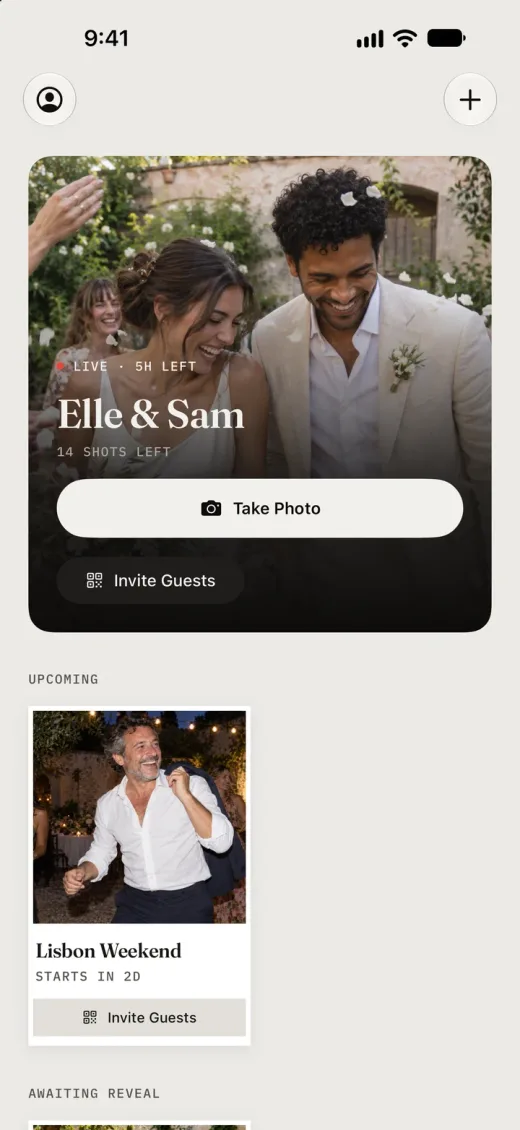 01
01 Name the occasion, choose how many people can join and how many shots each guest gets, and set when it ends.
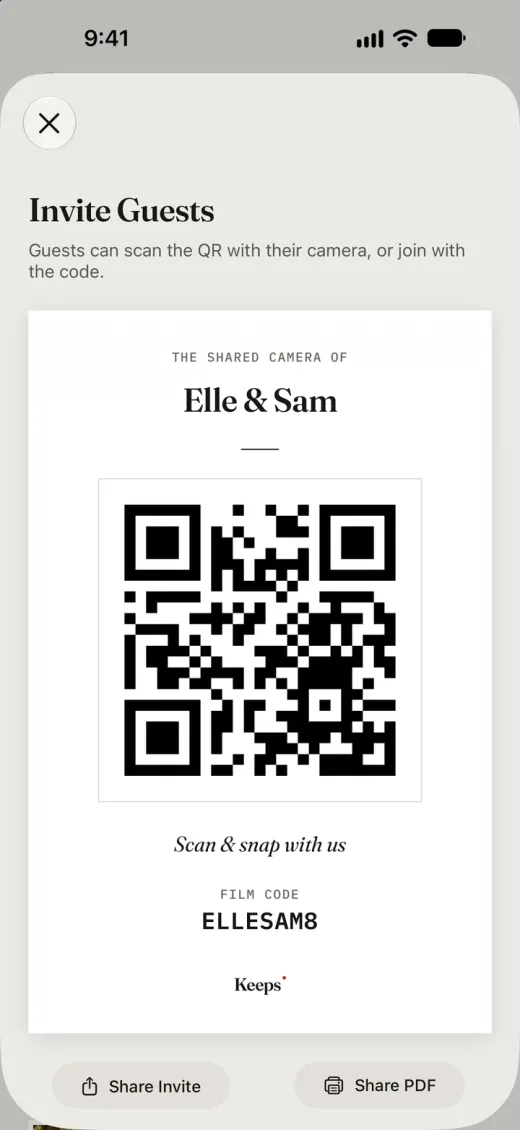 02
02 Share the link, the QR code, or a printable card. Guests install Keeps once and sign in, so their photos stay theirs on any phone.
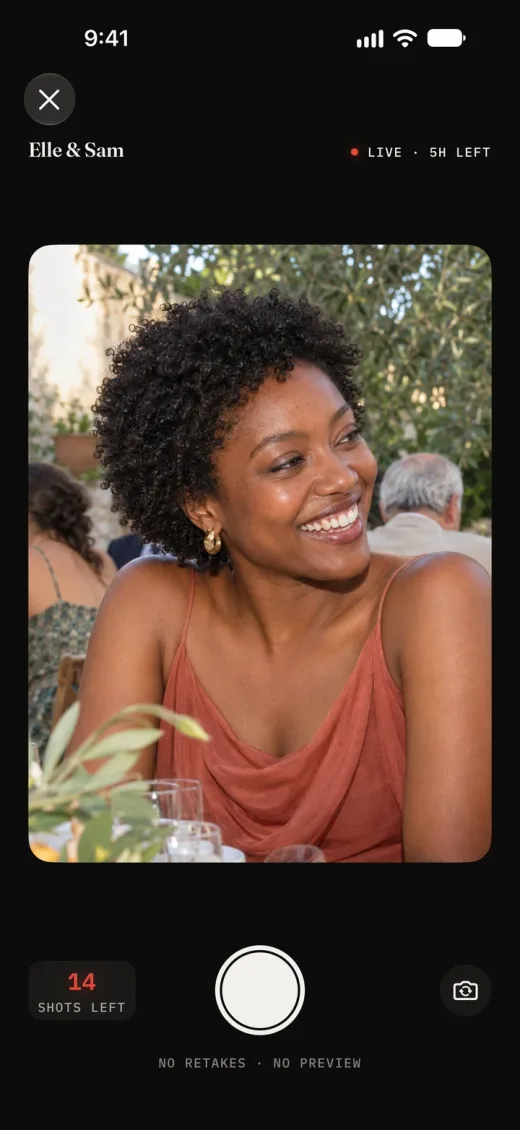 03
03 Each guest shoots from their own phone. No previews, no retakes. Every frame stays hidden until the reveal, even from the host.
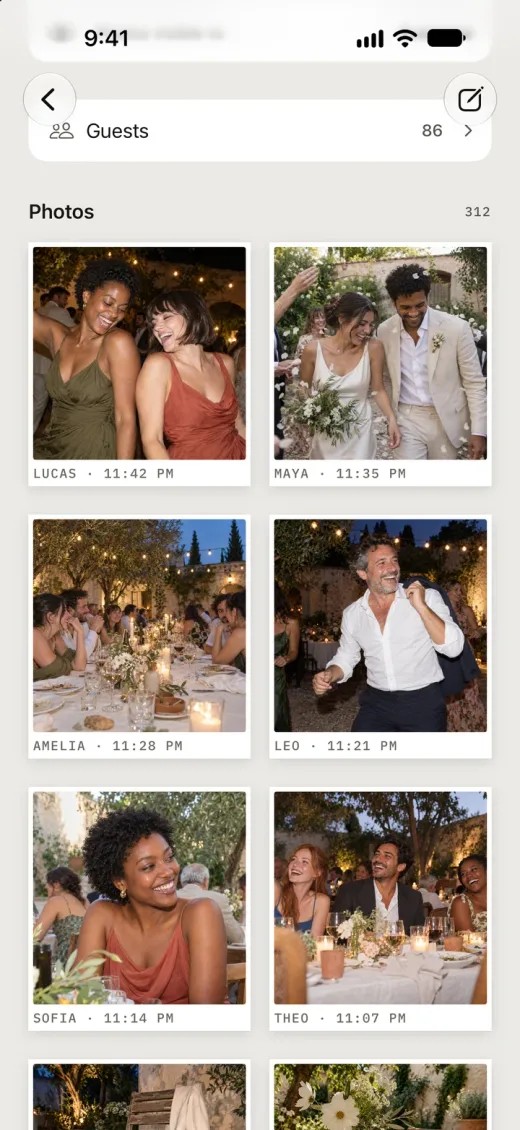 04
04 When the film ends, or when the host decides, the gallery opens for everyone in the film at once. Save the originals to your camera roll.
While the film is live, every frame stays sealed, the host’s included. At the reveal, everyone in the film gets one record of the night from every angle at once, and a notification the moment it opens.
 Maya · 4:12 PM
  Oliver · 4:40 PM
  Noah · 5:26 PM
  Sofia · 5:58 PM
  Emma · 6:31 PM
  Mia · 8:05 PM
  Theo · 8:40 PM
  Amelia · 9:02 PM
  Leo · 10:47 PM
  Lucas · 11:42 PM
  Henry · 12:15 AM
  Lily · 1:38 AM
 Keeps is a camera for weddings, birthdays, trips, and parties: one film for the room, then one gallery the morning after.
Keeps stores the original the camera took. Nothing burned in, nothing shrunk, no logo in the corner. Save what you want to your camera roll after the reveal.
Photos are saved on the phone the moment they are taken and upload when the connection comes back. Barns, basements, and beaches included.
You set how many shots each guest gets. A finite roll keeps people present and makes every frame deliberate.
Only people in the film can see it. No public galleries, no feed, no discovery. Choose whether guests see everyone’s photos or only their own.
Decide who can invite, when the reveal happens, and who stays. Removing a guest removes their photos in one step.
A real camera app on both platforms, flash included, not a browser tab. Guests on either phone shoot into the same film.
Bigger films are one purchase, sized by how many people can join, from $2.99 to $99.99. No subscription, no per-photo fees, and guests never pay.
The things hosts ask before they hand a film to a room full of people.
Yes. Guests scan the QR code or open the invite link, install Keeps once, and sign in. After that, every film they are invited to is one tap. The app is what gives each guest a real camera and keeps their photos tied to them rather than to one phone.
Yes. Keeps is a native app on both iOS and Android, and one film can mix both. Hosts and guests get the same camera and the same reveal on either phone.
Yes. Guests sign in with Apple (on iPhone), Google, or an email address, and pick a display name. Signing in is what lets a guest’s photos survive a reinstall or a new phone, and it is how the reveal notification reaches them.
Only the people in the film. There is no public gallery, no feed, and no discovery. After the reveal, an open film shows everyone every photo; a private film shows each guest only their own photos while the host sees all of them. The host chooses this when creating the film.
When the film ends, or, if the host chose manual reveal when creating it, when the host taps Reveal. Until then every photo is hidden from everyone, the host included. Everyone in the film gets a notification when the gallery opens.
The host sets a per-guest shot limit when creating the film. Every guest gets the same number of shots, and there are no previews or retakes, so each one counts.
Keep shooting. Photos are saved on the phone the moment they are taken and upload when a connection comes back. A photo taken during the film can still upload for up to 72 hours after the film ends.
Yes. Keeps stores the original photo the camera took. No filter is burned in and there is no watermark. After the reveal you pick the photos you want and save them at full resolution to your camera roll.
Films stay in the app for up to about one year after they end, after which they may be deleted. Save what you want to keep to your camera roll after the reveal. Deleting your account removes your profile, every film you host, and all the photos you took.
A film for you and 5 guests is free. Bigger films are a single purchase inside the app, priced by how many people can join, from $2.99. No subscription, no per-photo fees, and guests never pay.
See pricingYes. The host can remove a guest from the film’s guest list. Removal deletes every photo that guest took and closes the invite to them. Hosts can also delete the whole film.
Yes. Create the film with its start and end time and share the invite early. Guests can join right away, and shooting opens when the film starts.

Keep the room in the moment. Let the gallery come the morning after.
Free for you and 5 guests. Bigger films from $2.99, one-time.